KIYOTAKA
- Role
- Lead Designer
- Year
- 2026
- Industry
- Crypto Trading
- Platform
- Web App
- Status
- Live
Trade the Future, Today
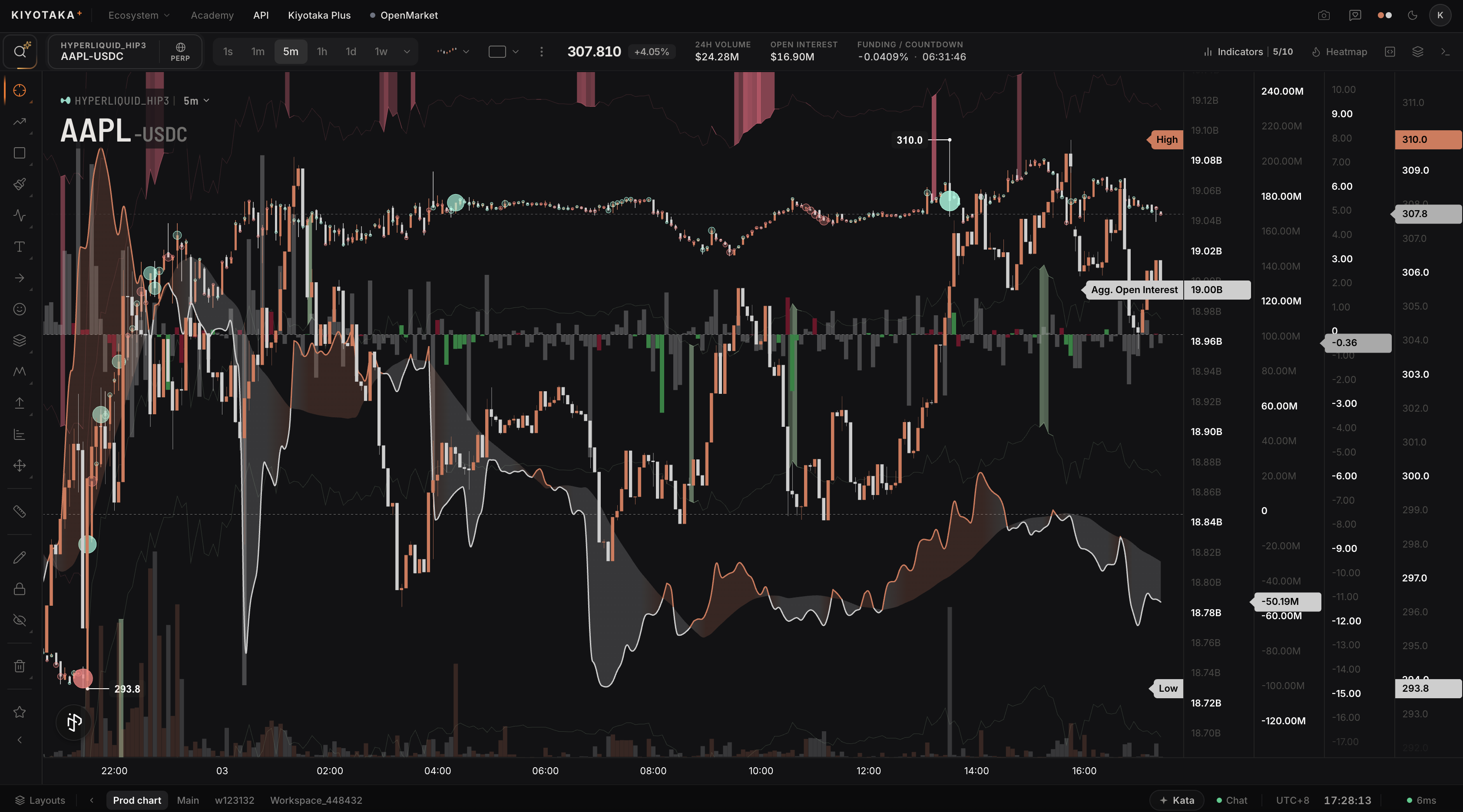
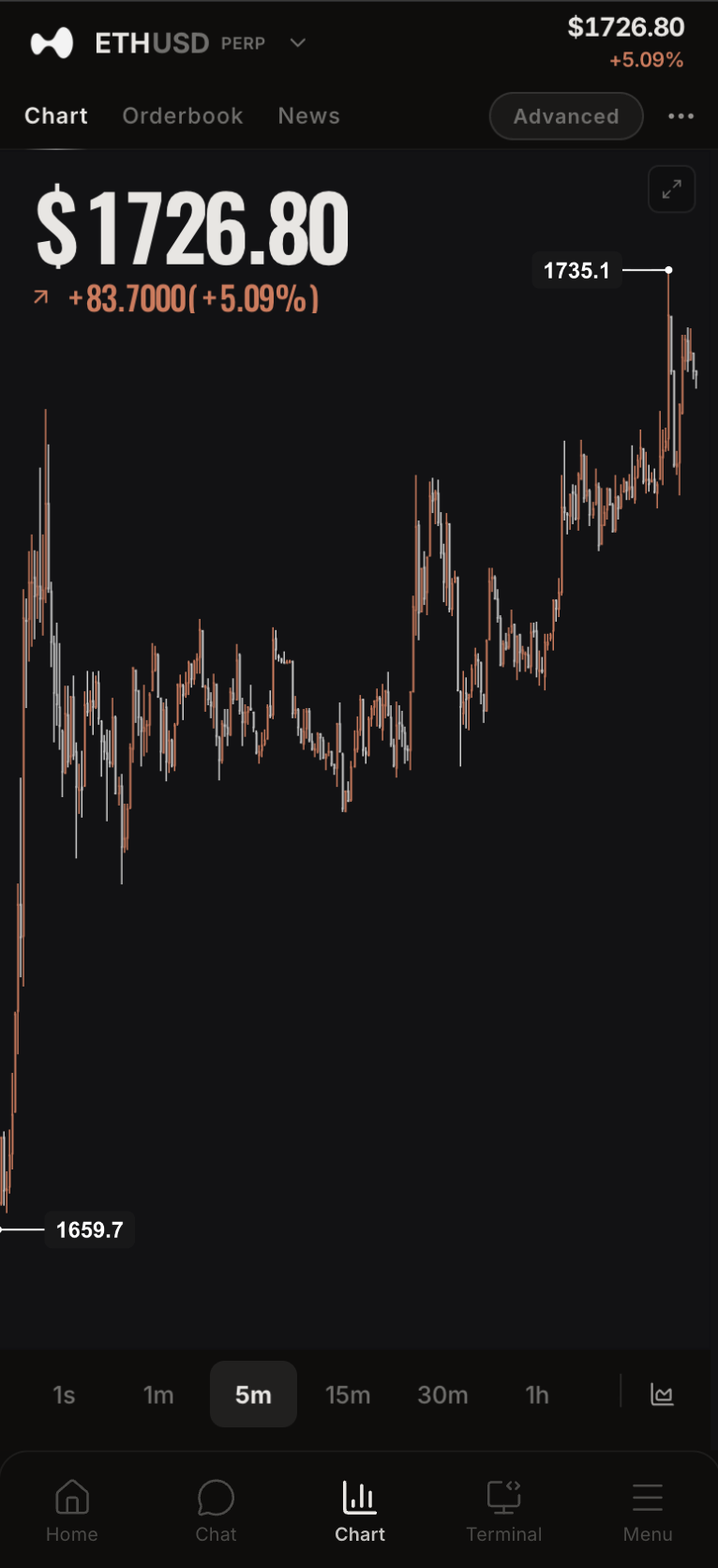
Kiyotaka is a crypto trading terminal built to stand on par with the best tools in the market. Its promise is simple and ambitious: why choose when you can have everything? Advanced charting, a trader-grade scripting language, and a community layer, all in one place.
The redesign set out to make a professional-grade terminal feel coherent and fast: dense enough for serious traders, legible enough to read at a glance, and quick enough to never get between a trader and a decision.
Too Many Windows
Serious crypto trading rarely happens in one place. Traders assemble a stack: a charting tool here, a data feed there, a scripting sandbox, and a forum for ideas. Every switch costs attention, and the numbers rarely line up across them.
The instruments themselves are demanding. Order flow, order-book depth and liquidation data run to millions of points, and most tools stutter or simplify exactly when precision matters. Liquidity is split across exchanges too, so any single venue tells only part of the story.
For a professional terminal, three things are non-negotiable: performance under load, density that stays legible, and one unified picture of the market. That framed every decision in the redesign.
Have Everything
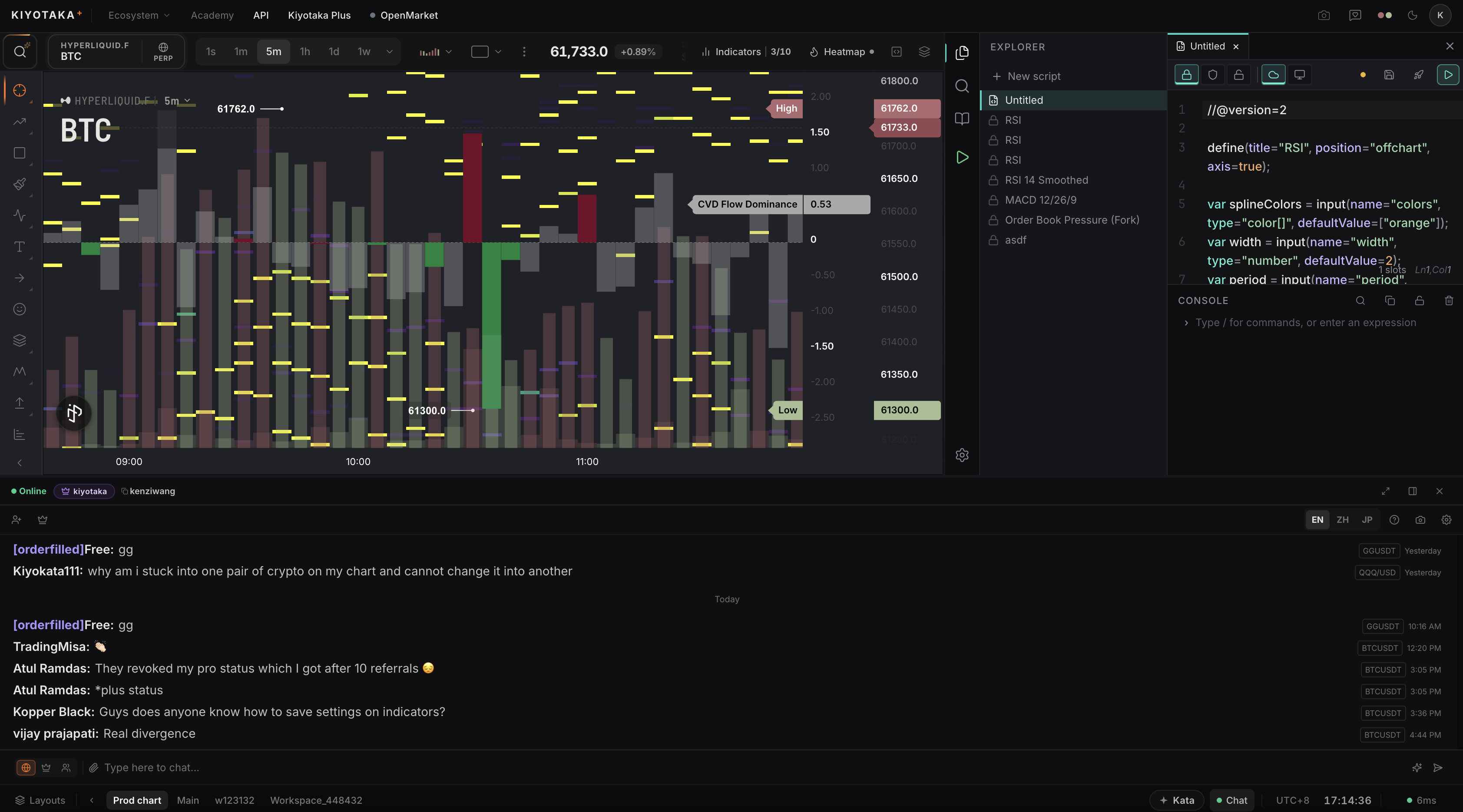
Consolidation is the thesis. Each fracture in the usual trading stack maps to a deliberate capability inside the terminal.
Charts in one app, data in another, scripts in a third, discussion somewhere else.
Charting, market data, scripting and community in a single workspace.
Heavy datasets stutter, and detail drops out the moment it matters most.
A proprietary core renders millions of data points in real time.
A partial read on liquidity, fragmented across exchanges.
Order flow and order-book depth pooled across every exchange.
Strategy and insight locked inside private, individual setups.
kHub turns analysis into a collaborative, comparable practice.
Symbol, Chart, Script
Three systems carry the terminal, each doing one job well and drawing on the same underlying data.
Symbol
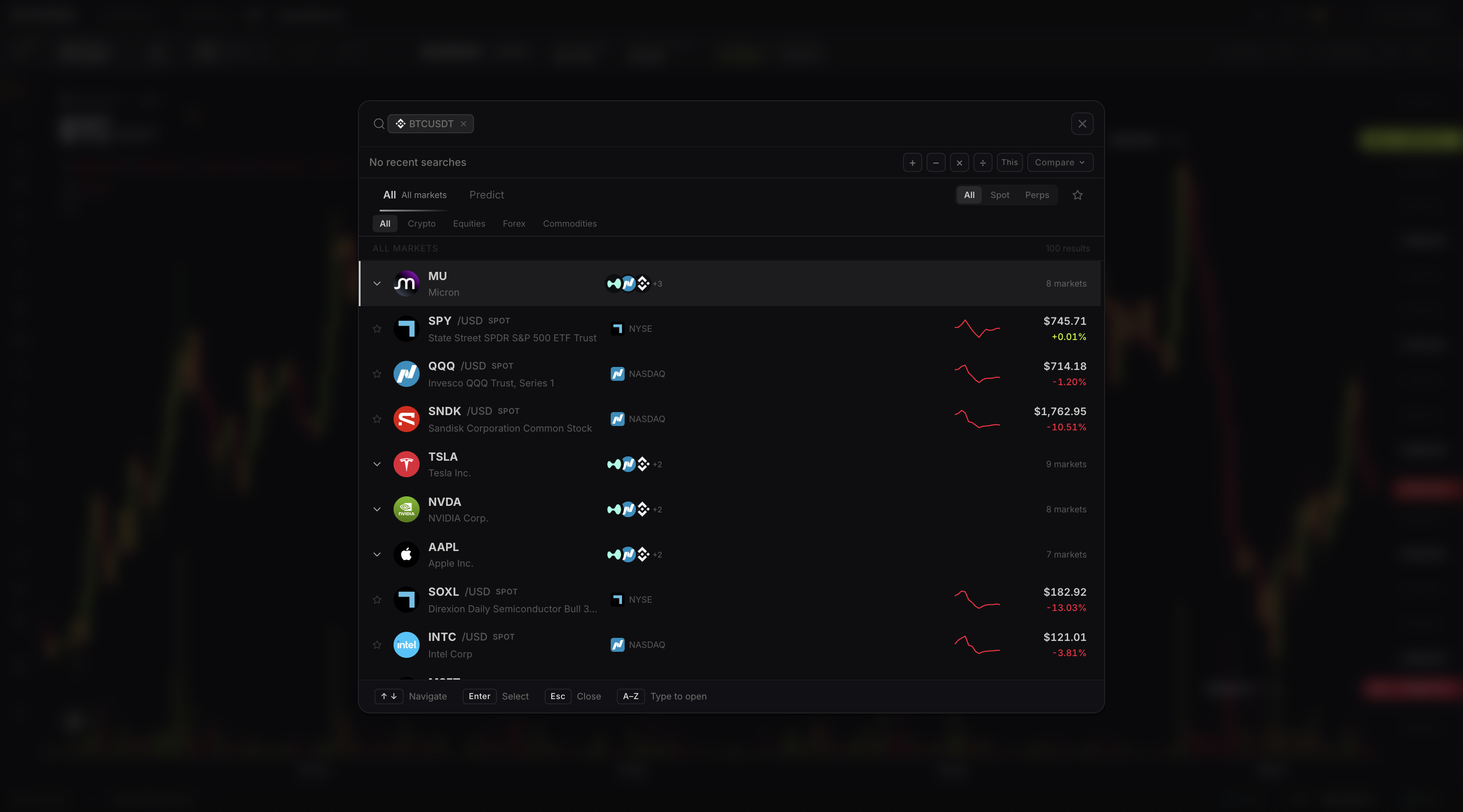
Thousands of symbols to choose from, crypto and beyond, spanning every major exchange and chartable side by side.
Chart Engine
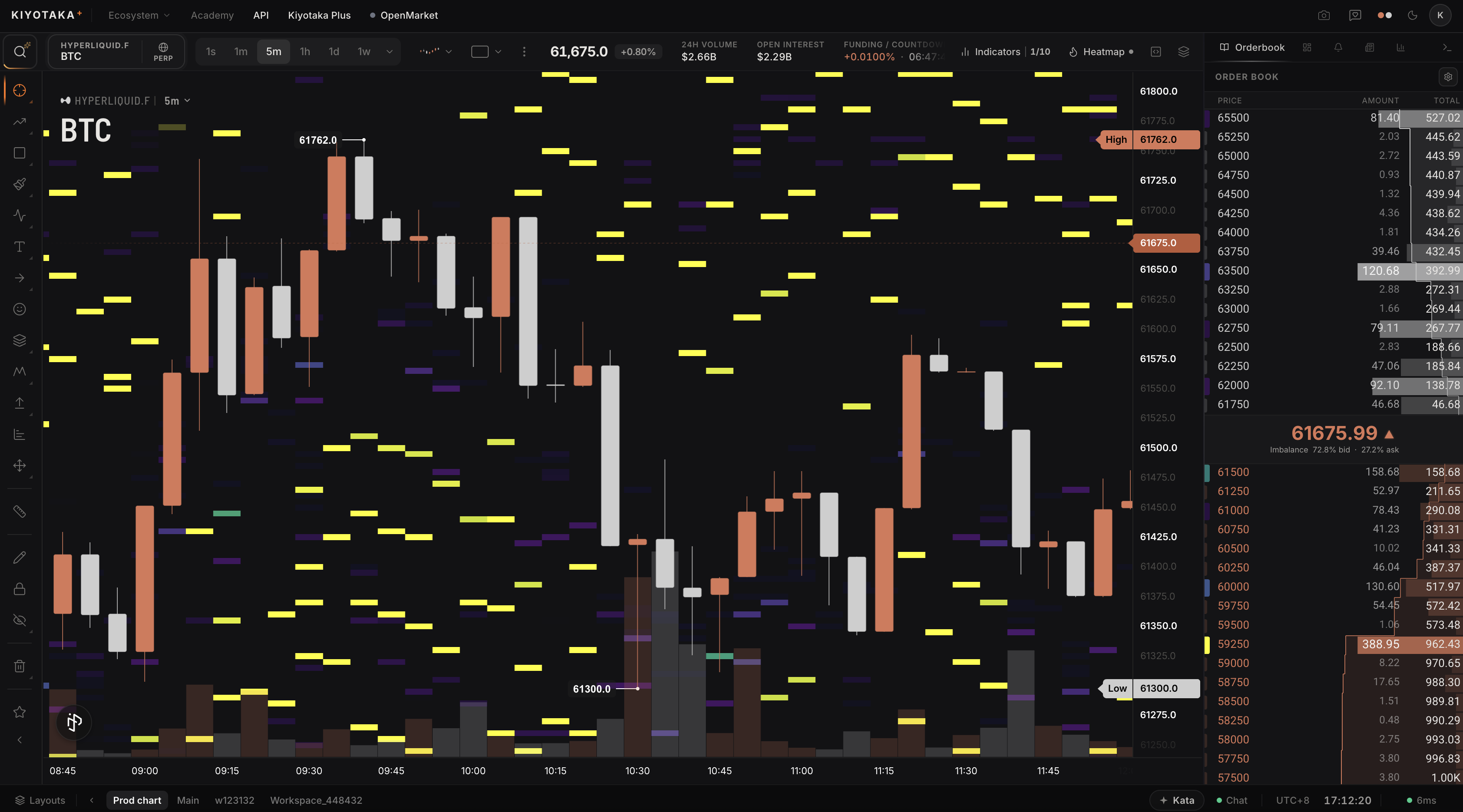
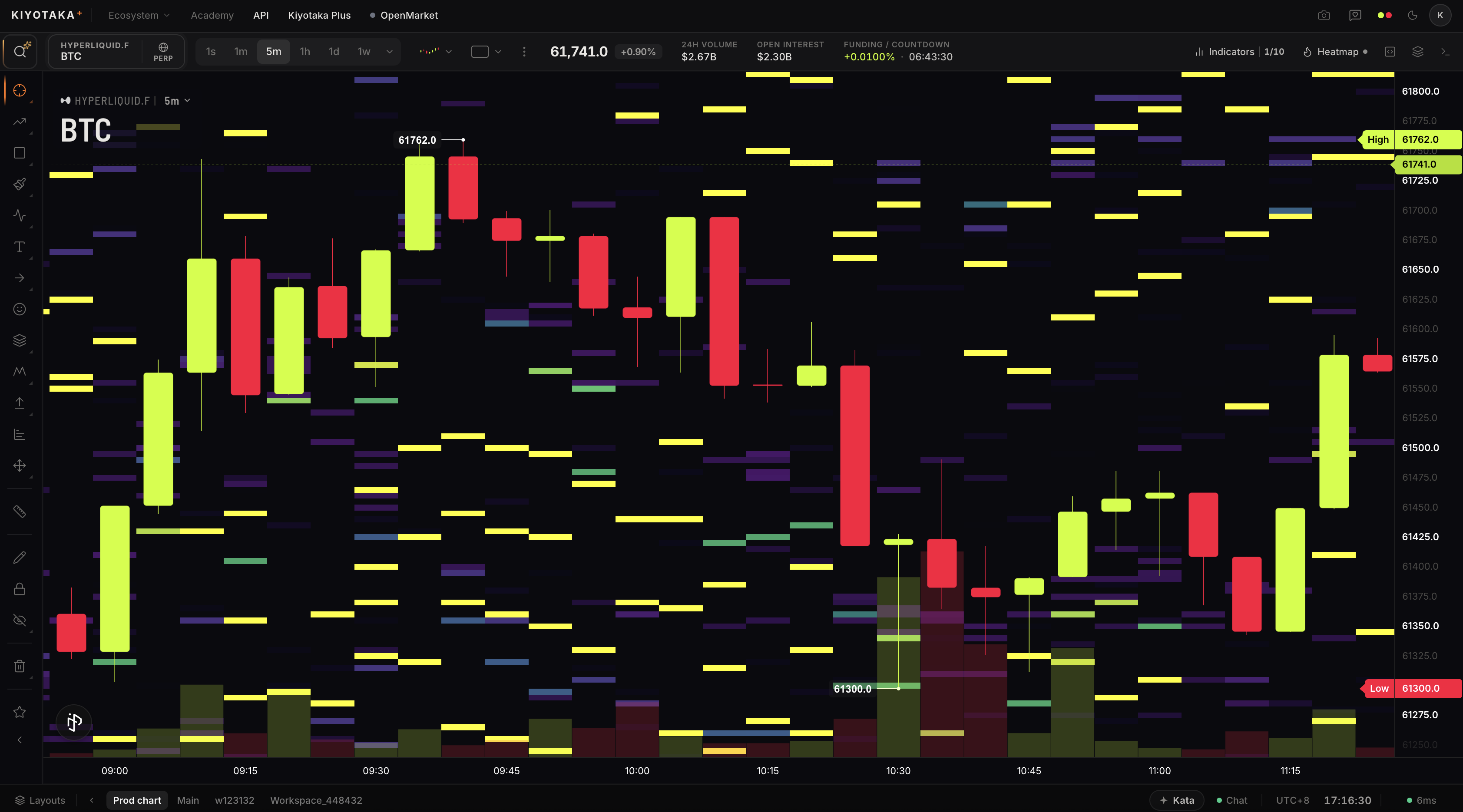
A high-performance charting core that renders millions of data points with zero lag, unifying candles, order flow and order-book heatmaps.
kScript
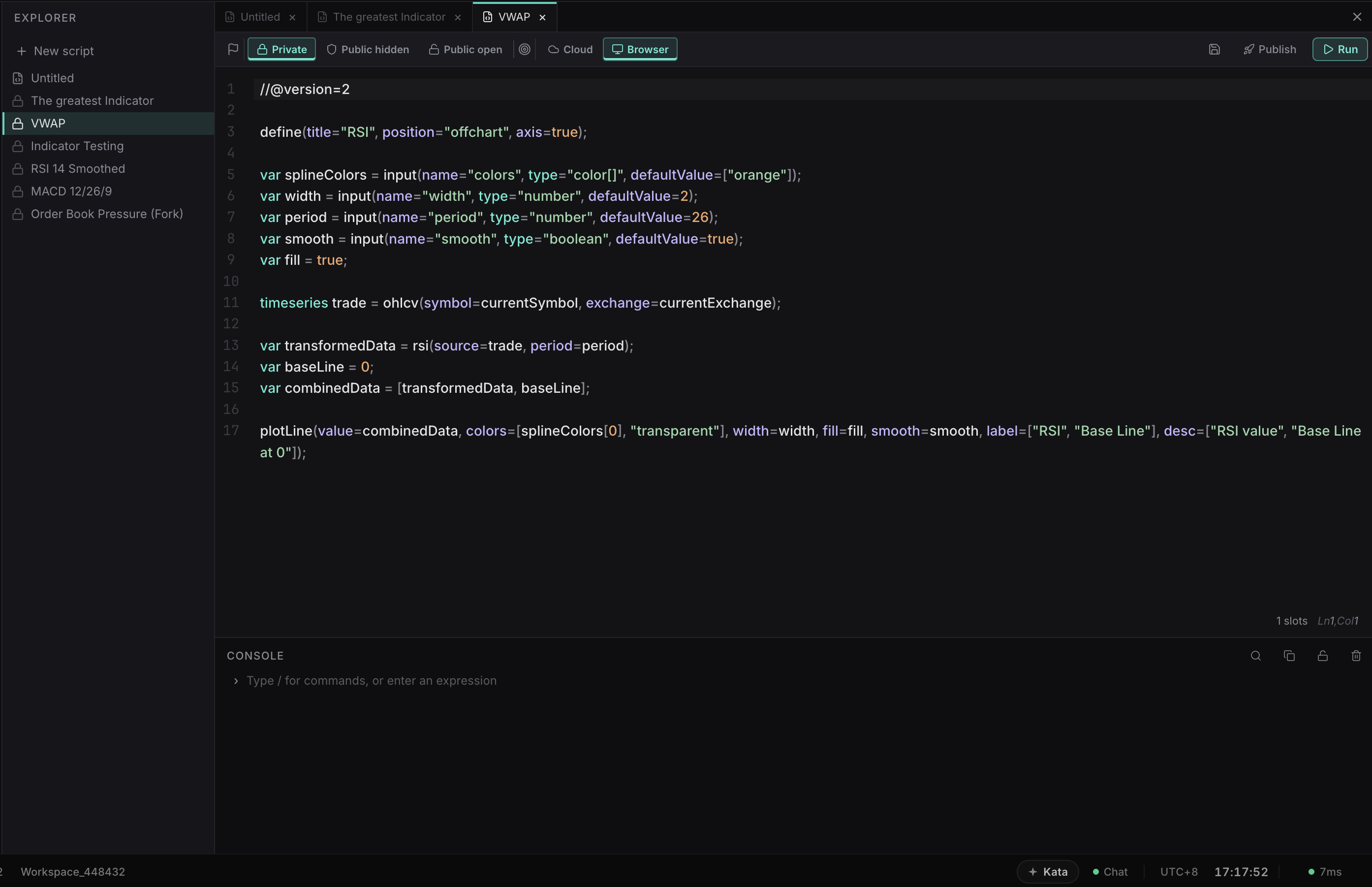
A scripting language built for traders, with access to raw order-book data, multi-symbol inputs and live computation across thousands of assets.
Reading the Market
Beneath the pillars sits a deep, real-time data layer, the signals professional traders actually watch, rendered without the lag that usually comes with them.
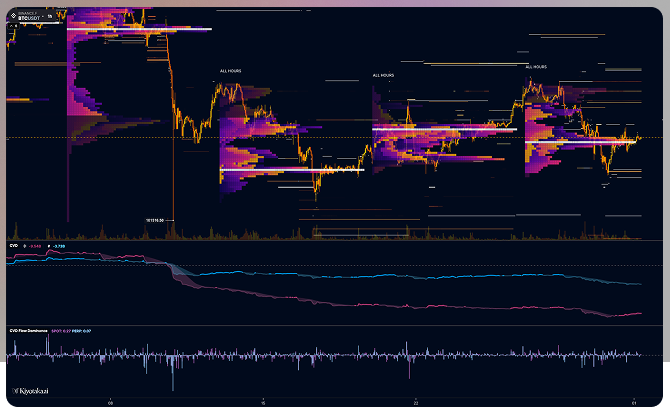
- Order Flow
- Real-time buying and selling pressure, visualized.
- Order-Book Heatmap
- Aggregated liquidity at SD, HD and 4K resolution.
- Open Interest
- Total open contracts, including CME data.
- Cumulative Volume Delta
- Net buy versus sell volume over time.
- Liquidations
- Forced exits tracked as they print.
- Multichart
- Many symbols and layouts on a single screen.
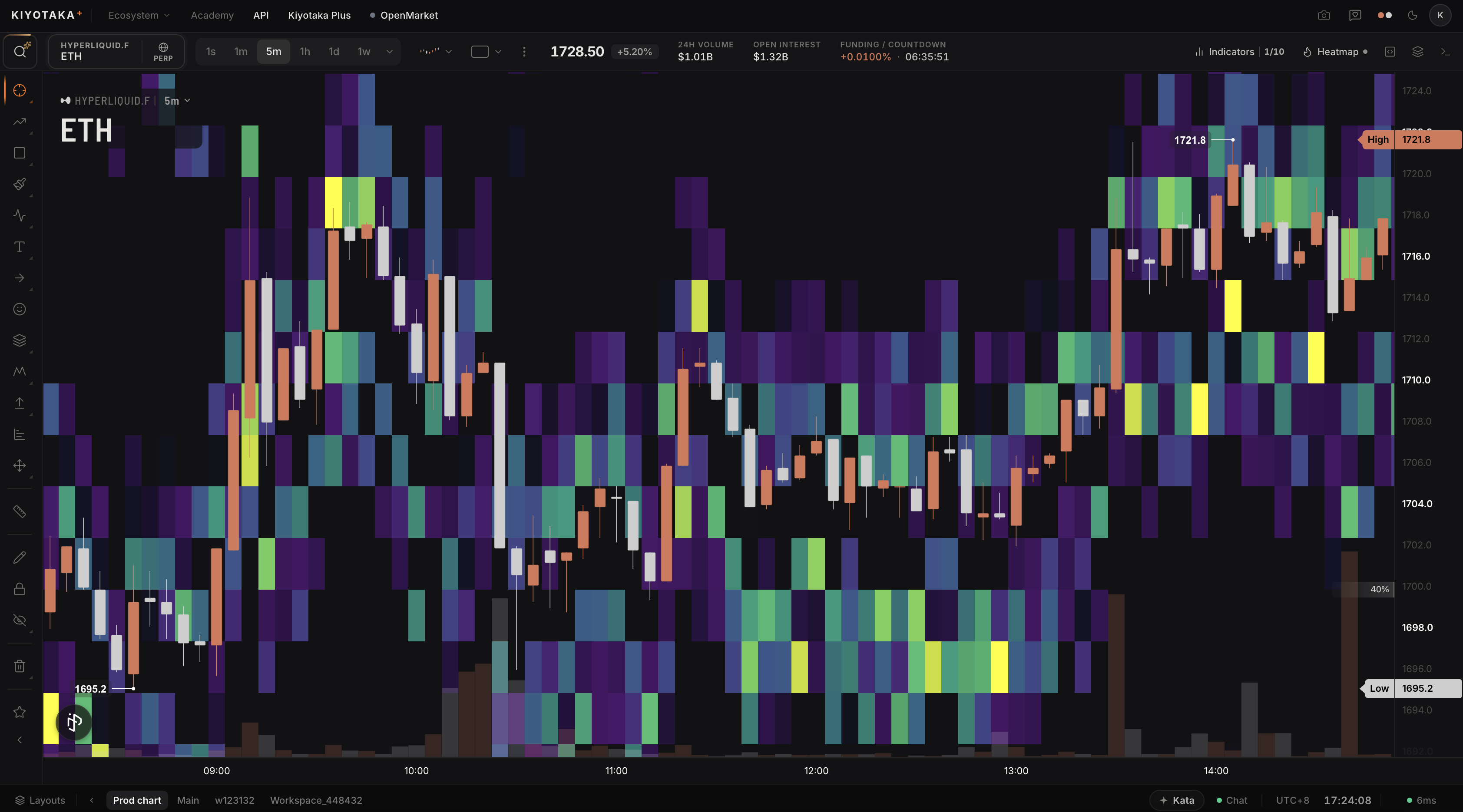
A Theme for Every Trader
The terminal is dark by default and tuned for hours of focus without fatigue. But traders work in different light, on different setups, so it ships with a full set of built-in themes, from the signature Kiyotaka lime to Percept, Classic, Sourgum, Carbon and Quartz, each with its own take on bullish and bearish colour.
Type is treated as data: monospaced numerics keep prices, sizes and deltas aligned and scannable, and colour is reserved for meaning, buys and sells, warnings and fills, rather than decoration.
Kiyotaka
Lime on near-black
Typeface
Inter
a precise, screen-native sans
The Terminal in Full
One coherent environment across charting, scripting and community.